
Hold a key. Speak. Let go.
Your words appear at the cursor, in any app. Claude Whisper is free and runs on your Claude Code: no subscription, no API key.
Free download · macOS 14+ · Windows 10/11, first version · needs Claude Code
A small app around a hidden Claude Code session.
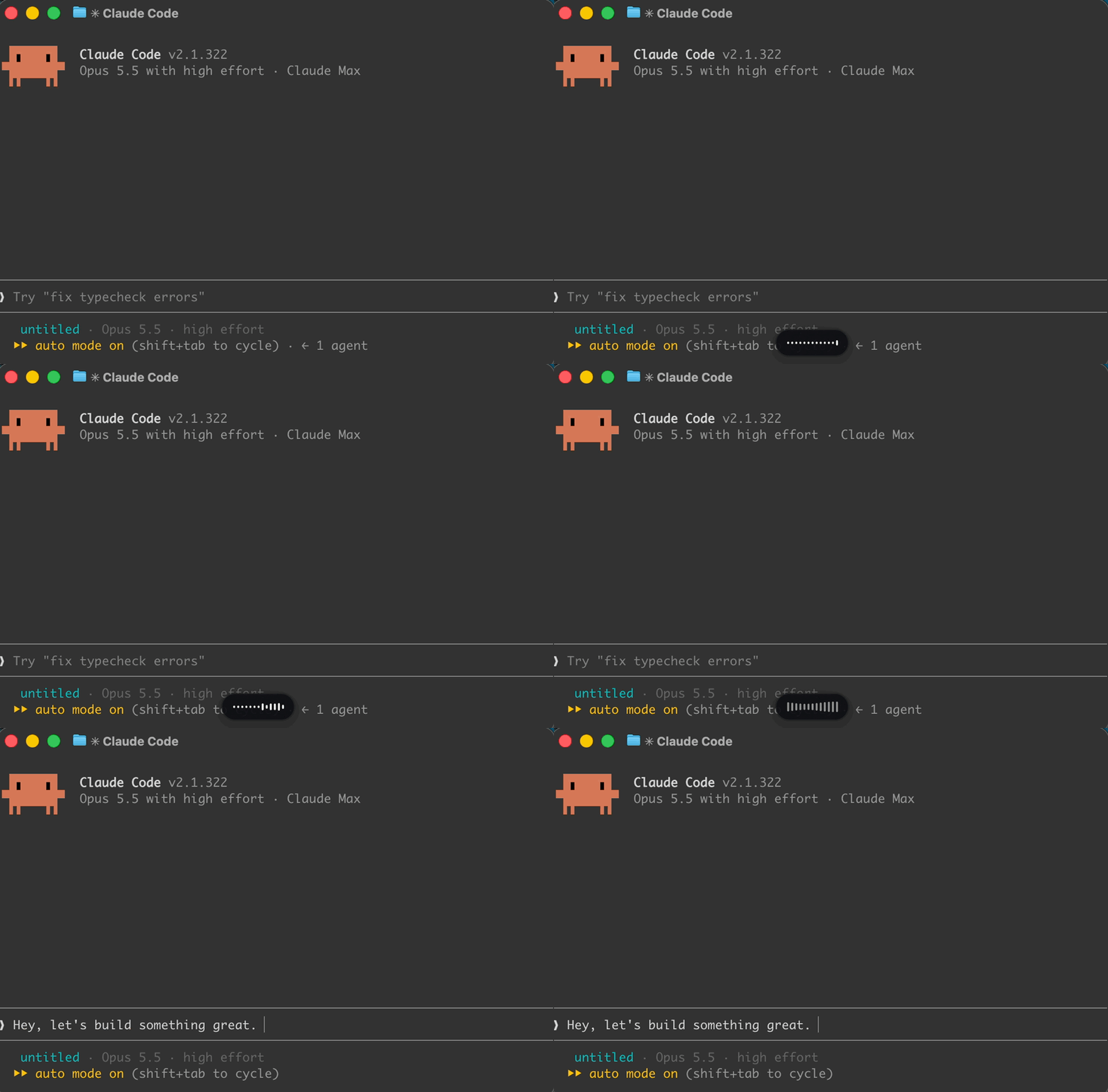
Hold the key and talk
A small capsule near the bottom of the screen shows it is listening. The start sound plays once the microphone is really on.
Claude Code transcribes
A hidden Claude Code session, signed in as you, turns speech into text. Nothing is sent to Claude as a message.
It lands at your cursor
The text is pasted into the app you were in, followed by a space, and your clipboard is put back.
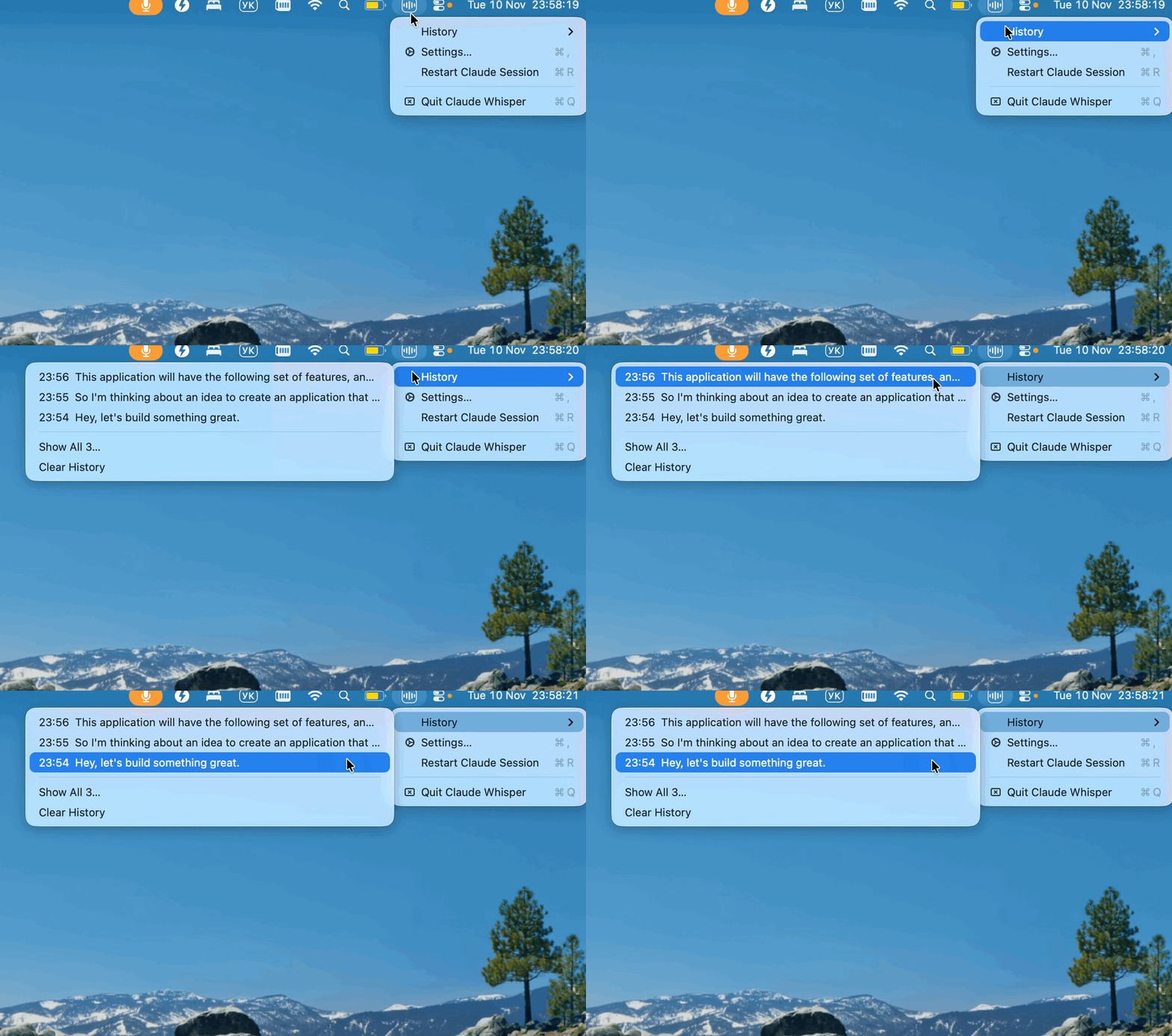
The menu bar icon (tray on Windows) has History (the last 30 dictations, click one to copy it), Settings and Check for Updates. For the internals, see how it works in the guide.
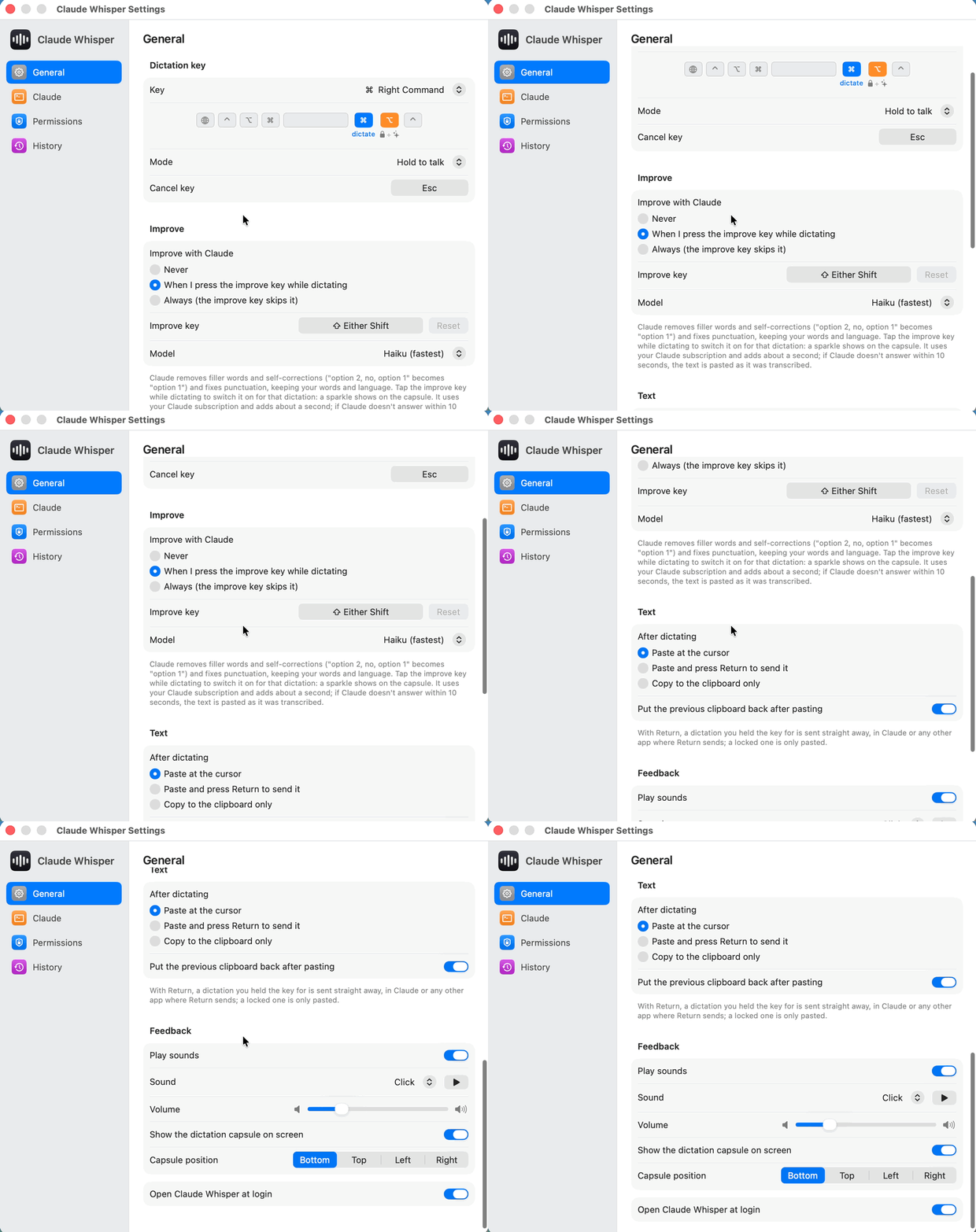
One key to talk, a few more when you want them.
Hold to talk
Speak, let go, and the text is pasted at the cursor. With Settings › Pasting set to Paste and press Return, it is sent straight away too, handy in Claude.
Lock, hands-free
Press Right Option while holding, or double-tap Right Command, and it keeps listening after you let go. Tap Right Command to stop: the text is inserted, not sent.
Improve macOS
Claude tidies this dictation up before it is pasted. What it does
Cancel
Discards the dictation. Nothing is pasted.
Shortcuts still work
The dictation key with another key is a normal shortcut; nothing is pasted, what you said is kept in History.
Every key can be changed in Settings. On Windows, Right Ctrl dictates and Right Alt locks.
Think out loud, paste what you meant.
- Removes fillers and self-corrections, and fixes punctuation.
- Restores the spelling of product names and technical terms, keeping your words and language.
- Adds about a second. If Claude doesn’t answer within 10 s, the text is pasted as transcribed.
Tap Shift for one dictation, or set it to always or never in Settings. It runs a separate claude -p on your Claude subscription.
option 2,no,option 1
option 1
Set up in a couple of minutes.
First, Claude Code. Install Claude Code and sign in with your Claude account, then check that voice dictation works: run claude, type /voice and hold Space.
macOS 14 Sonoma or later · Apple silicon or Intel
Download Claude-Whisper-macOS.zip, unzip it and move Claude Whisper.app to Applications.
Open it. It is signed with a Developer ID and notarized by Apple, so macOS only asks once whether to open an app downloaded from the internet.
Allow Accessibility (to see the key and paste) and Microphone. Settings opens with a banner that links to both.
Windows 10/11 · x64 or ARM64 · first version
Download Claude-Whisper-Windows.zip (the latest release also has an -arm64 zip for ARM PCs), unzip it anywhere and run ClaudeWhisper.exe.
The app is not signed, so SmartScreen stops the first launch: click More info, then Run anyway.
Let desktop apps use the microphone in Windows Settings › Privacy & security › Microphone, and turn on Open at login to keep it.
Rather build it yourself? CONTRIBUTING.md has the steps for both apps.
Your account, your computer.
Your own Claude account
Dictation is done by Claude Code, signed in as you. The app does no speech recognition of its own.
No connections of its own
The app itself only talks to GitHub, and only to check for updates when you ask.
Improve sends text
Improve sends the transcribed text, not audio, to a separate claude -p process.
History stays local
The last 30 dictations are kept on your computer, in the menu’s History.
Questions
Does it cost anything extra?
No. The app is free and open source. Dictation runs on the Claude account you are already signed in with, and Improve uses your Claude subscription. There is no separate API key or service.
What can the Windows version do?
It is a first version for Windows 10 and 11 (x64 and ARM64). It dictates on Right Ctrl and locks with Right Alt. It has no Improve, no capsule position and no Faster start yet.
Which languages does it understand?
The ones Claude Code’s voice dictation supports. Pick the dictation language in Settings › Claude.
Is the app signed?
The macOS app is, from version 0.1.11: it is signed with a Developer ID and notarized by Apple, so it opens without warnings and keeps its permissions across updates. Updating from an older version asks for the permissions once more. The Windows app is not signed yet, so SmartScreen asks once (More info, then Run anyway).
The key does nothing. What now?
On macOS, check both permissions, Accessibility and Microphone, then quit and reopen the app. Another app or a Karabiner rule on the same key has to be quit or moved, or you can pick a different dictation key in Settings.
The capsule says “Claude didn’t start listening”.
Check that /voice works in claude itself, then click Restart Session in Settings › Claude.
Is this made by Anthropic?
No. It is an unofficial, independent project, not made by, affiliated with or endorsed by Anthropic.